
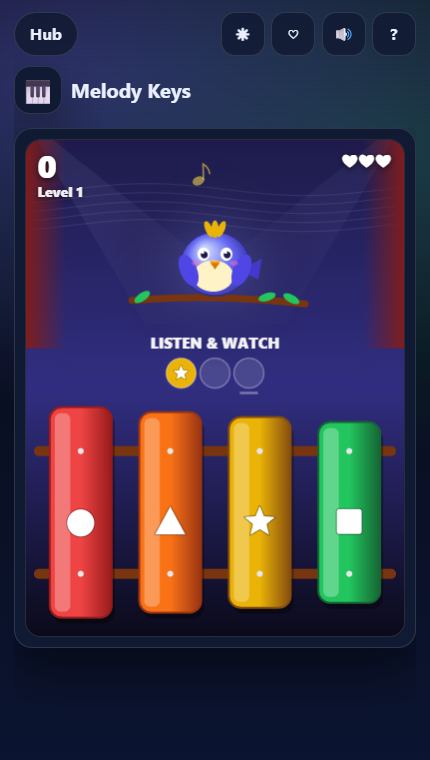
How to play Melody Keys
- The songbird sings a short tune while the xylophone keys light up — each key has its own colour and symbol.
- Tap the keys to play the tune back in the same order. Finish it with no mistakes for a perfect streak.
- A wrong key costs a heart and the tune plays again. Tunes grow longer and faster, with repeats, rhythm and more keys.
- Tap the replay button to hear it again. Every 5th level is an Echo bonus — later, play backwards or follow shuffled keys.
Missions to chase
Every run counts toward missions that pay out XP. Clear a tier to unlock the next one:
- Reach level 4
- Play 100 correct notes
- Play 3 perfect tunes in a row
- Reach level 10
- Echo 8 notes in a bonus round
- Play 1,000 correct notes
Upgrades
Coins you earn buy permanent upgrades for Melody Keys:
- 🐢 Easy Tempo — Tunes play 8% slower
- 👂 Good Ear — Start each run with +1 replay
- ✨ Guide Light — One more opening note glows as a hint
Good to know
- Free and instant: runs in your browser on phone, tablet or desktop — nothing to install.
- Session length: about 2–5 min per round, perfect for a short break.
- Progress saves automatically in this browser: best scores, missions and favorites.
Start playing Melody Keys or browse all Play Hub games.


